

Across our ongoing series, we’ve covered the financial ledger in D365 Finance, operational execution in D365 Supply Chain Management, retail and digital commerce in D365 Commerce, and billable services in D365 Project Operations.
Today, we take a deep dive into Part 5: Dynamics 365 Human Resources.
Dynamics 365 Human Resources
In the modern enterprise, machines, warehouses, and code are all nothing without your most valuable asset: people. Now, following Microsoft’s recent infrastructure consolidation, which put D365 HR on the same system as the rest of the F&O products, Human Resources is no longer an island.
The same relational database engine, financial dimensions, and lifecycle services now underpin both the larger ERP and the department’s specialized functions.
Whether you are managing employee position allocations, time tracking, and accruals for compensation, or you are involved in the implementation of a system and configuration of absence accrual schemes, D365 HR is the solution for people management and enterprise operations. Let’s delve deeper into its core principles, review all of the features that it offers, and find out how AI is integrated into the management of employees.
Core functions
Dynamics 365 Human Resources bridges the gap between everyday employee needs and executive workforce planning. Its capabilities rest on four foundational pillars:
1. Unified F&O Architecture & Global Compliance
As a result of the infrastructure convergence, D365 HR has access to the same Finance & Operation foundation as the rest of the D365 solutions. This means that worker data, organizational structure, and positions are automatically synchronized across legal entities, General Ledger posting structures, and security roles. Native localization tools enable full compliance with regional labor, statutory reporting, and data privacy regulations.
2. Connected Employee & Manager Self-Service
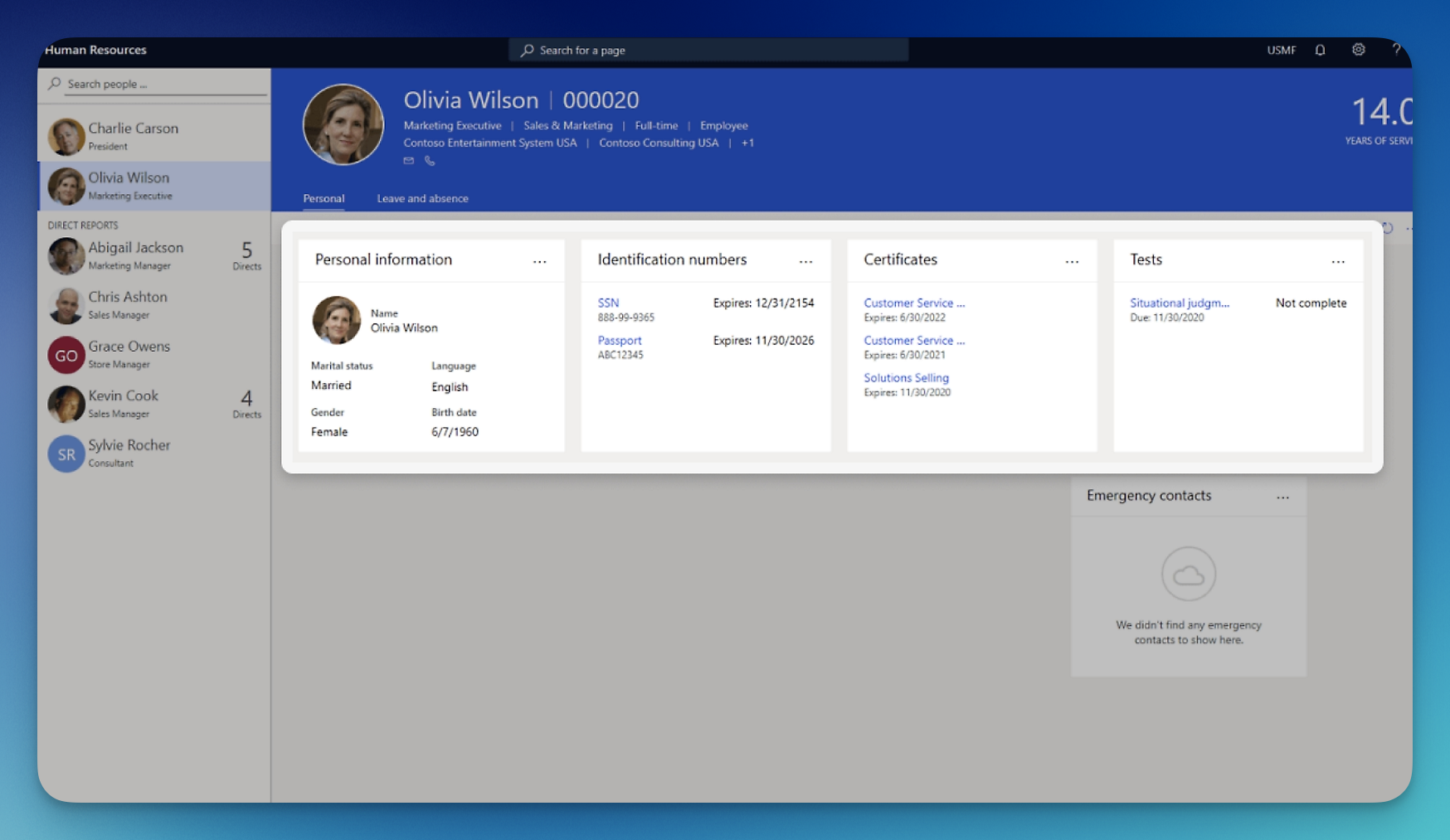
The best human resource systems ensure employees that they can handle all their administrative tasks by themselves. Using a web based interface and the software’s integration with Microsoft Teams, workers may access and update their leave balance, request time off, view their pay, update their information, and track their goals without involving the HR team. In addition, managers may access a unified dashboard to monitor their team’s time-off requests, approve their position changes, and conduct regular performance reviews.
3. Total Rewards & Compensation Management
Keeping top performers requires flexibility in compensation policies. D365 HR offers a variety of fixed pay structures, including step, grade, or band progression, and variable pay options like bonuses, stock options, and profit sharing. Plus, an enterprise-class benefits engine helps you manage open enrollment, eligibility, and life event triggers.
4. Strategic Workforce Planning & Skill Tracking
Knowing which of your employees is capable of doing which activities is vital to effective succession planning and project resourcing. D365 HR provides extensive tools for maintaining and updating your employee skill sets, including their education, certifications, and language proficiencies, which can be leveraged within D365 Project Operations to ensure the right people are working on the right tasks.
Module map
To master D365 HR, you need a complete picture of its functional modules. Here is the full breakdown of every tool:
1. Personnel Management
The central operational dashboard for HR generalists to track employee lifecycles from hire to retire.
- Key Functions:
- Worker Master Data: Manages comprehensive employment records for employees and contractors across all legal entities.
- Onboarding & Offboarding Tasks: Automates checklist workflows for equipment allocation, security badging, IT setup, and exit interviews.
- Lifecycle Tracking: Manages worker status transitions (active, on leave, terminated) and reason codes for historical reporting.
2. Organization Administration
Defines the structural framework, reporting lines, and job architectures of the enterprise.
- Key Functions:
- Jobs & Positions: Distinguishes between abstract job templates (e.g., “Senior Software Engineer”) and specific budget-tracked positions (e.g., “Position 000456 – IT Dept”).
- Matrix & Matrix Reporting: Models organizational hierarchies, managerial reporting lines, and departmental cost center allocations.
- Position Budgets & Control: Tracks open headcount, full-time equivalents, and vacant position availability for recruitment.
3. Leave and Absence Management
A global time-off tracking engine that handles vacation, sick leave, statutory parental leave, and custom sabbaticals.
- Key Functions:
- Accrual Plans & Tiered Rules: Configures complex accrual policies based on service length, employment type, or hours worked.
- Absence Requests & Calendar Sync: Enables employees to submit leave requests directly in Microsoft Teams, automatically syncing with Outlook calendars.
- Leave Grants & Carry-Forward Policies: Automates annual leave carry over rules, forfeiture limits, and statutory payout calculations upon separation.
4. Benefits Management
An enterprise-grade benefits administration engine managing healthcare plans, insurance, retirement programs, and wellness perks.
- Key Functions:
- Eligibility Rules & Bundling: Automatically determines employee eligibility based on job type, department, location, or tenure.
- Open Enrollment Workspaces: Provides a guided, self-service shopping-cart experience for employees to choose medical, dental, and retirement plans.
- Life Event Processing: Adjusts plan enrollment based on qualifying life events (marriage, birth of a child, relocation).
5. Compensation Management
Manages base salary structures, incentive packages, and periodic merit increase cycles.
- Key Functions:
- Fixed Compensation Plans: Establishes pay bands, step progressions, and market-rate ranges tied to job grades.
- Variable Compensation Plans: Manages performance bonuses, cash awards, retention incentives, and equity/stock plans.
- Compensation Event Cycles: Enforces budget-capped merit review processes for managers to distribute salary increases across teams.
6. Performance Management & Goal Tracking
Enables continuous employee alignment through goal tracking, periodic reviews, and 360-degree feedback.
- Key Functions:
- Goal Setting & Alignment: Allows employees and managers to define SMART goals linked directly to corporate objectives.
- Performance Reviews: Configurable review templates with automated self-assessments, manager ratings, and review sign-offs.
- Continuous Feedback: Enables peer-to-peer praise and informal check-in logs throughout the performance cycle.
7. Skills & Competency Management
Identifies skill proficiencies and certification compliance across the workforce to optimize staffing and training.
- Key Functions:
- Skill Gap & Skill Profiling: Tracks proficiency levels, assessments, and desired career goals for workers.
- Certifications & Compliance Tracking: Tracks required professional licenses and safety certifications, sending alerts prior to expiration dates.
- Integration with Resourcing: Allows project managers in Project Operations to query workers based on verified skill sets.
8. Course & Learning Administration
Organizes internal classroom training, compliance sessions, and external learning events.
- Key Functions:
- Course Catalogs & Sessions: Defines training tracks, instructors, locations, and seat limits.
- Employee Self-Enrollment: Lets workers register for required or optional professional development courses via employee self-service.
- Attendance & Completion Tracking: Records test scores, attendance compliance, and automatically updates employee skill records upon course completion.
9. Payroll Integration & Connector Framework
Acts as the single source of employee truth for payroll providers while integrating costs back to the General Ledger.
- Key Functions:
- Payroll Ready Data: Aggregates worker tax details, recurring compensation adjustments, benefit deductions, and garnishments.
- Native Integration Services: Standardized APIs and Dataverse connectors to integrate directly with payroll providers.
- Cost Distribution: Aligns payroll expenses to proper financial dimensions, departments, and general ledger accounts.
10. Employee & Manager Self-Service
The personal hub for workforce self-administration across desktop, mobile, and collaborative apps.
- Key Functions:
- My Info Portal: Direct access to personal contact details, emergency contacts, bank accounts, and pay history.
- Team Management Portal: Gives supervisors visibility into direct reports’ compensation, performance goals, time-off balances, and training progress.
The next generation of Intelligent Workplace
With Microsoft Copilot deeply embedded across D365 HR and Microsoft 365, routine HR administration is shifting toward natural language interaction and automation:
- Copilot for Job Descriptions & Interview Guides: HR recruiters can generate comprehensive, tailored job descriptions and candidate interview question rubrics in seconds by prompting Copilot with job level, key requirements, and department context.
- Natural Language Self-Service in Teams: Employees can query Copilot directly within Microsoft Teams (e.g., “How many vacation days do I have left?” or “What is our parental leave policy?”) and receive accurate, instant answers with direct links to take action.
- AI-Driven Candidate Screening with Skill Matching: Copilot analyzes resumes against position requirements, surfacing top talent, highlighting skill matches, and flagging missing certifications.
- Predictive Attrition & Workforce Insights: Machine learning algorithms evaluate historical turnover trends, tenure, compensation ratios, and engagement data to forecast retention risks, helping managers proactively retain critical talent.
- Generative Performance Review Summaries: Copilot helps managers draft structured, fair, and professional performance review narratives by synthesizing an employee’s completed goals, peer feedback, and project milestones across the review cycle.
- Automated Absence with Policy Q&A: Copilot acts as a 24/7 HR helpdesk agent, answering routine compliance, benefits, and company handbook queries, drastically reducing HR support ticket volume.
The True HR
If there is one lesson to be learned from helping organisations around the world adopt, implement and manage Microsoft Dynamics 365, it is that every transaction has a human at the end of it.
Whether it is a purchase order in Supply Chain Management requiring a buyer, a task in Project Operations that needs a consultant or a journal in Finance that needs an approver, the health of your ERPs depends on the quality of your human master data. Cleanse that and the rest will follow!