

So far in our application breakdown series, we’ve unboxed the financial engine (D365 Finance), physical supply chains (D365 SCM), and omnichannel retail/e-commerce (D365 Commerce).
Today, we are diving into Part 4: Dynamics 365 Project Operations.
Dynamics 365 Project Operations
If you manage professional service companies, IT service providers, engineering organizations, or want to optimize the operation of internal service desks, you are well aware of the challenge of controlling projects, managing time, costs, and billing. Microsoft Dynamics 365 Project Operations unifies sales, resource management, project delivery, and financial accounting.
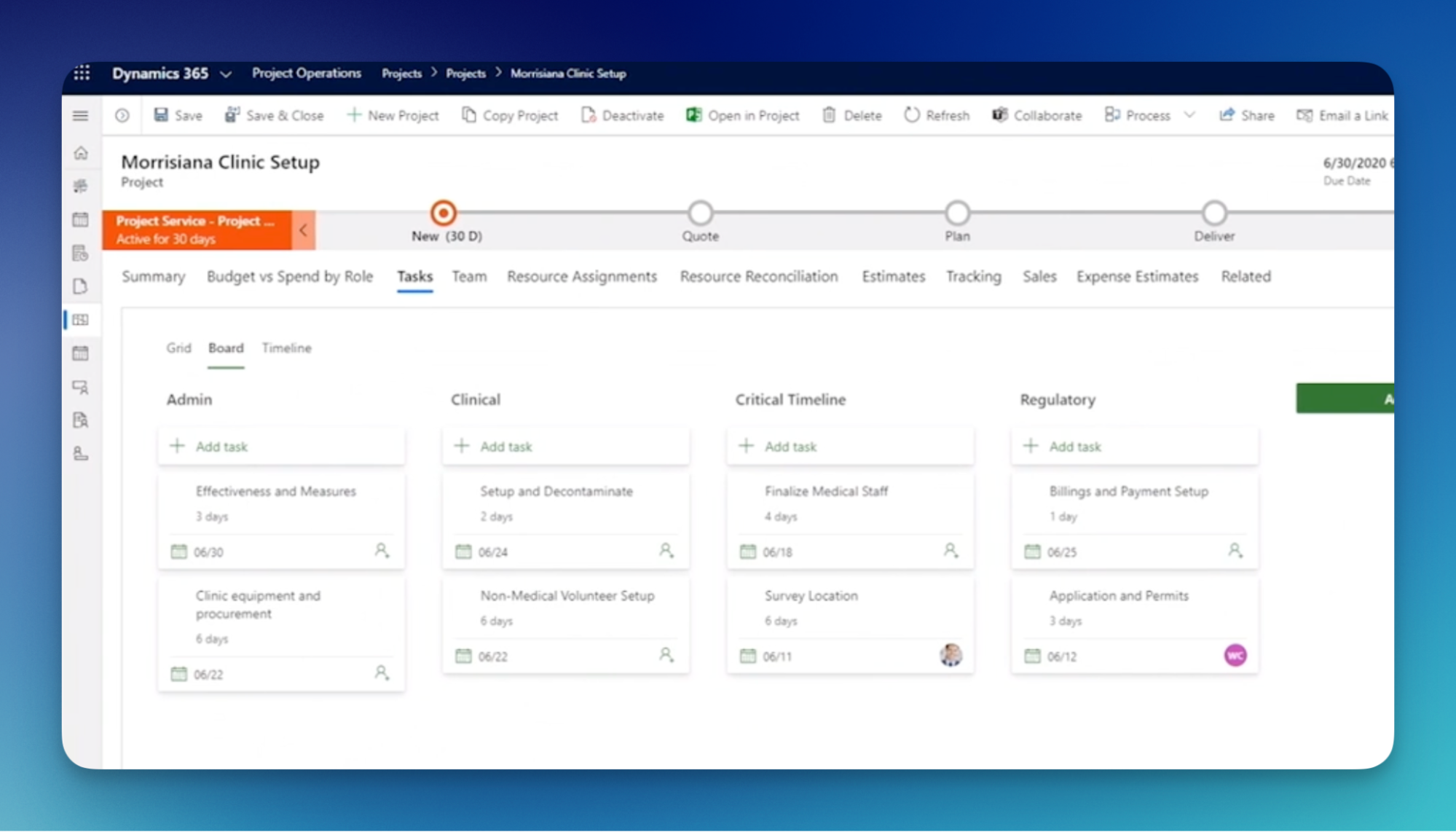
Let’s explore the application’s architectural design, take a closer look at all functions, and understand how artificial intelligence and Copilot technologies can streamline operations.
Core functions
Bidding on professional services projects requires careful pricing. With project operations, you can choose from time-and-materials (T&M), fixed-price, and billing by percentage of completion methods for a single contract. You can also set up price lists, define roles and associated hourly rates, set not-to-exceed limits, and allocate costs among multiple customers. All of this is available right out of the box.
1. Flexible Deployment Models (Dataverse + F&O Integration)
Project Operations isn’t a one-size-fits-all module. It offers flexible deployment options tailored to how an organization operates:
- Lite Deployment: Front-end project management, quoting, and time/expense tracking hosted strictly on Dataverse (ideal for teams without a full ERP back-end).
- Integrated Deployment (Resource/Non-Stocked): The ultimate hybrid power setup. Project managers work in Dataverse with modern planning tools, while time, expenses, project invoicing, and revenue recognition seamlessly flow via Dual-Write into the F&O back-office General Ledger.
- Stocked/Production-Order Deployment: Fully hosted within F&O, designed for heavy engineering or construction projects that require physical inventory, warehouse picking, and production manufacturing tied to project structures.
2. Comprehensive Project Contract & Deal Management
Bidding on professional services projects requires a careful analysis of pricing. With project-based billing, you can choose from time and materials, fixed-price, and billing by percentage of completion for a project in one contract. You can also set up price lists, roles, and associated hourly rates and then apply not-to-exceed amounts and allocate costs among multiple customers to your liking. All that is available right out of the box.
3. Intelligent Resource Management & Capacity Planning
The profitability of any services organization is directly dependent on the utilization rate of its resources. The software described in this case has a Resource Management Engine that helps resource managers in allocating workers based on their skills, certifications, availability, and cost per hour in order to meet customers’ requirements.
4. Precision Project Financials & Revenue Recognition
Once the work has been performed and the hours are entered, Project Operations automation facilitates the remainder of the financial close including unbilled revenue accruals, WIP (work in progress), invoice to the customer and revenue recognition.
Module map
To master Project Operations, you need to understand both the project management capabilities and the underlying financial accounting subledgers. Here is the detailed breakdown of the core modules and functional areas that make up the app:
1. Project Sales & Opportunity Management
Manages the early-stage sales pipeline for project-based deals, moving from initial lead to signed contract.
- Key Functions:
- Project Quotes & Estimation: Builds detailed, bottom-up cost and revenue estimates based on estimated roles, effort, and expenses before deal closure.
- Contract Structures: Configures billing rules, fee schedules, milestones, and customer contract lines (T&M vs. Fixed Price).
2. Project Planning & Work Breakdown Structure (WBS)
Provides project managers with robust scheduling, task assignment, and Gantt chart views integrated directly with Microsoft Project for the Web.
- Key Functions:
- Task Scheduling & Dependencies: Defines task hierarchies, duration estimates, predecessor/successor links, and critical path analysis.
- Workplace Assignment: Assigns generic resource placeholders (e.g., “Senior D365 Functional Consultant”) during initial planning phases before named resources are staffed.
3. Resource Management & Allocation
The central engine that matches human talent to project needs across global teams.
- Key Functions:
- Skill & Certification Tracking: Maintains a searchable matrix of worker skills, experience levels, spoken languages, and professional certifications.
- Schedule Board: A visual dashboard showing real-time resource availability, active bookings, hard vs. soft reservations, and utilization percentages.
- Resource Request Workflows: Enables project managers to submit formal resource requests to department managers for fulfillment.
4. Time & Expense Management
User-friendly interfaces (mobile and web) for team members to log billable hours and operational travel expenses.
- Key Functions:
- Time Entry & Mobile Approvals: Allows consultants to log daily task hours, select project dimensions, and route entries to project managers for approval.
- Expense Reporting & Receipt Capture: OCR-powered receipt scanning allows users to snap photos of receipts, extract spending metadata, and auto-populate line items.
- Per Diem & Expense Policies: Enforces corporate travel rules, daily meal allowances, and spending limits based on project rules or geographical tiers.
5. Project Accounting & Ledger Subledger
The financial heart in F&O that processes approved time/expense records into double-entry accounting transactions.
- Key Functions:
- Project Posting Profiles: Controls how project costs, WIP, unbilled revenue, and sales tax post across main accounts in the General Ledger.
- Intercompany Project Transactions: Automatically generates intercompany invoices and transfer pricing when a consultant from Legal Entity A works on a project owned by Legal Entity B.
6. Project Invoicing & Billing
Generates accurate customer invoices based on approved project transactions and contract milestones.
- Key Functions:
- Proforma Invoicing: Project managers review and adjust proforma invoices (overriding hours, adding credit notes, or placing transactions on hold) before sending them to financial AR teams.
- Milestone & Progress Billing: Triggers invoicing automatically when specified project milestones or percentage-of-completion thresholds are achieved.
7. Revenue Recognition for Projects
Handles complex accounting requirements for recognizing revenue on long-term fixed-price or T&M contracts.
- Key Functions:
- Completed Contract & Percentage of Completion: Recognizes revenue based on spent cost vs. total estimated cost or completed milestone gates.
- Revenue Schedules: Automatically calculates deferred revenue liabilities and posts monthly revenue adjustments straight to GL.
8. Project Budgeting & Forecasting
Tracks financial progress against original targets to prevent cost overruns and margin erosion.
- Key Functions:
- Multi-Version Forecasting: Allows project accountants to revise EAC (Estimate at Completion) and ETC (Estimate to Complete) projections throughout the project lifecycle.
- Variance Analysis: Real-time visibility comparing original budget vs. current forecast vs. actual costs incurred.
9. Materials & Vendor Operations for Projects
Manages external vendor purchases, sub-contractors, and non-stocked items required to deliver project scopes.
- Key Functions:
- Project Purchase Orders: Ties vendor procurement directly to project tasks and cost centers.
- Subcontract Management: Tracks third-party contractor purchase contracts, time approval limits, and vendor invoice reconciliation against project progress.
10. Indirect Cost & Overhead Allocation
Ensures non-direct project costs (such as software licenses, administrative overhead, or office space) are appropriately factorized into true project margins.
- Key Functions:
- Indirect Cost Rates: Configures percentage markups or hourly surcharges applied to direct labor or expense costs for internal profitability analysis.
11. Project Performance & Business Intelligence
Pre-built Power BI dashboards and workspaces giving executives high-level operational metrics.
- Key Functions:
- Utilization & Realization Analytics: Tracks billable vs. non-billable utilization rates across departments, practice groups, and individual consultants.
- Margin & Profitability Tracking: Real-time monitoring of Gross Margin, Revenue Run Rates, and Earned Value Management (EVM) indicators.
The next generation of Project Operations
With Microsoft heavily augmenting Project Operations using Copilot, project teams spend less time building manual reports and more time driving delivery.
Here are the primary AI capabilities transforming the app:
- Copilot Project Status Report Generation: Writing monthly status reports is a time-consuming chore. Copilot aggregates project progress, financial burn rates, task completion metrics, and active risk registers to generate professional natural-language status reports in seconds.
- AI-Assisted Task & WBS Creation: When starting a new project, project managers can ask Copilot: “Create a 6-week work breakdown structure for a cloud data migration project,” and Copilot builds the initial task structure, complete with recommended durations and dependencies.
- Generative Risk & Issue Assessment: Copilot continually scans project health indicators (late task completions, budget burn rates, unapproved expenses) and automatically generates risk assessments with suggested mitigation strategies.
- OCR Receipt Ingestion & Expense Categorization: AI-driven expense capture reads physical or digital receipts, extracts merchant details, amounts, and dates, and automatically suggests the correct expense category and tax code.
- Intelligent Resource Skill Matching: Machine learning algorithms evaluate resource availability against required task skills and past project performance scores, suggesting optimal resource pairings to maximize project delivery quality.
Front-Office Agility with Back-Office Truth
In my opinion, there is no more exciting area for support analysts and functional consultants than the Project Operations in the ecosystem of D365. This is where the connection between CRM (Dataverse) and ERP (F&O) happens.
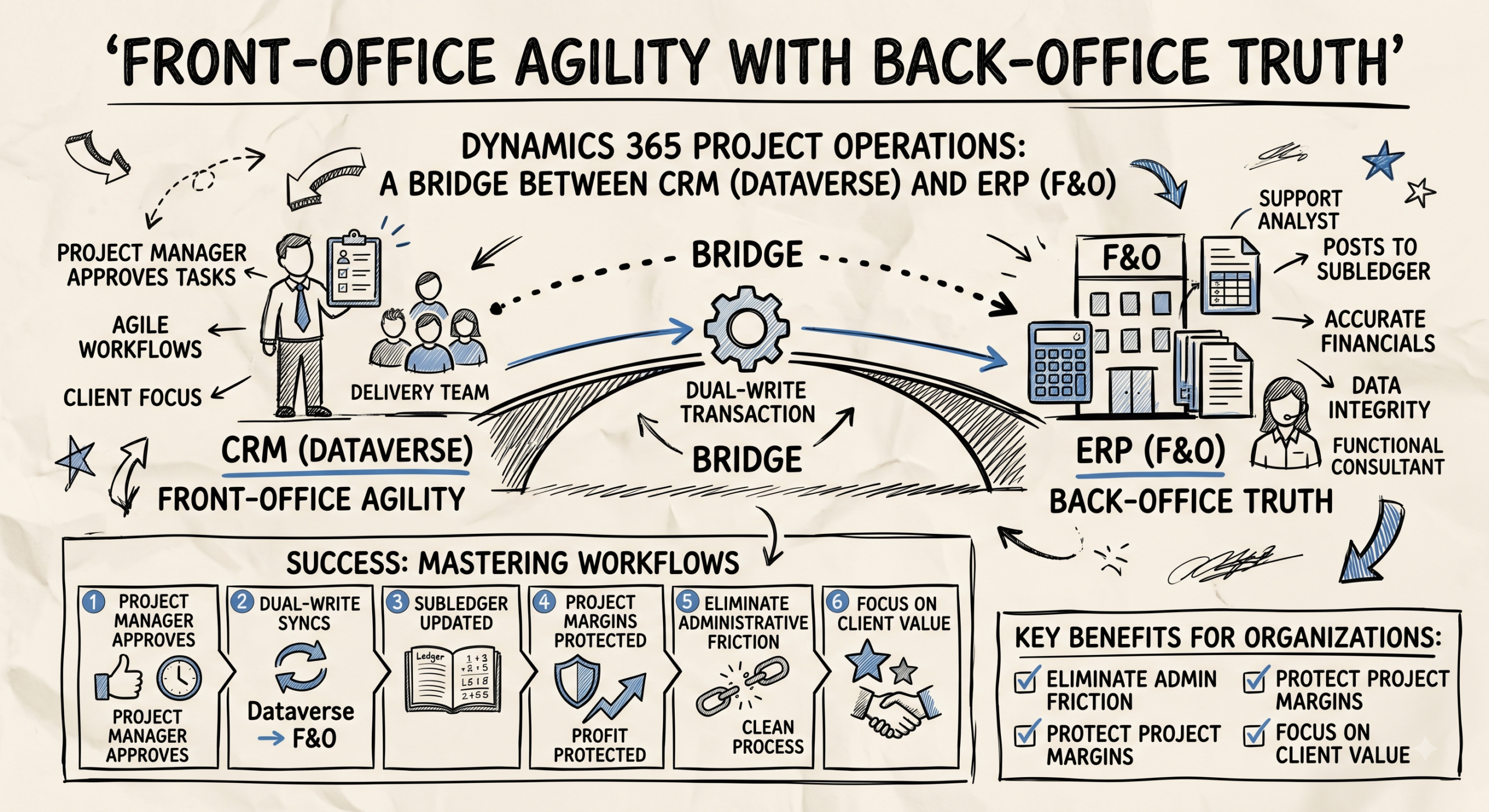
Success in this application happens when you understand that the project manager’s task approval in Dataverse triggers a dual-write transaction that posts to a subledger in F&O. By doing so, you’re enabling organizations to remove roadblocks to value, protect project margins, and focus project resources on delivering on what matters to their customers.